The Best AI coding tools in 2026
Overview
Introduction
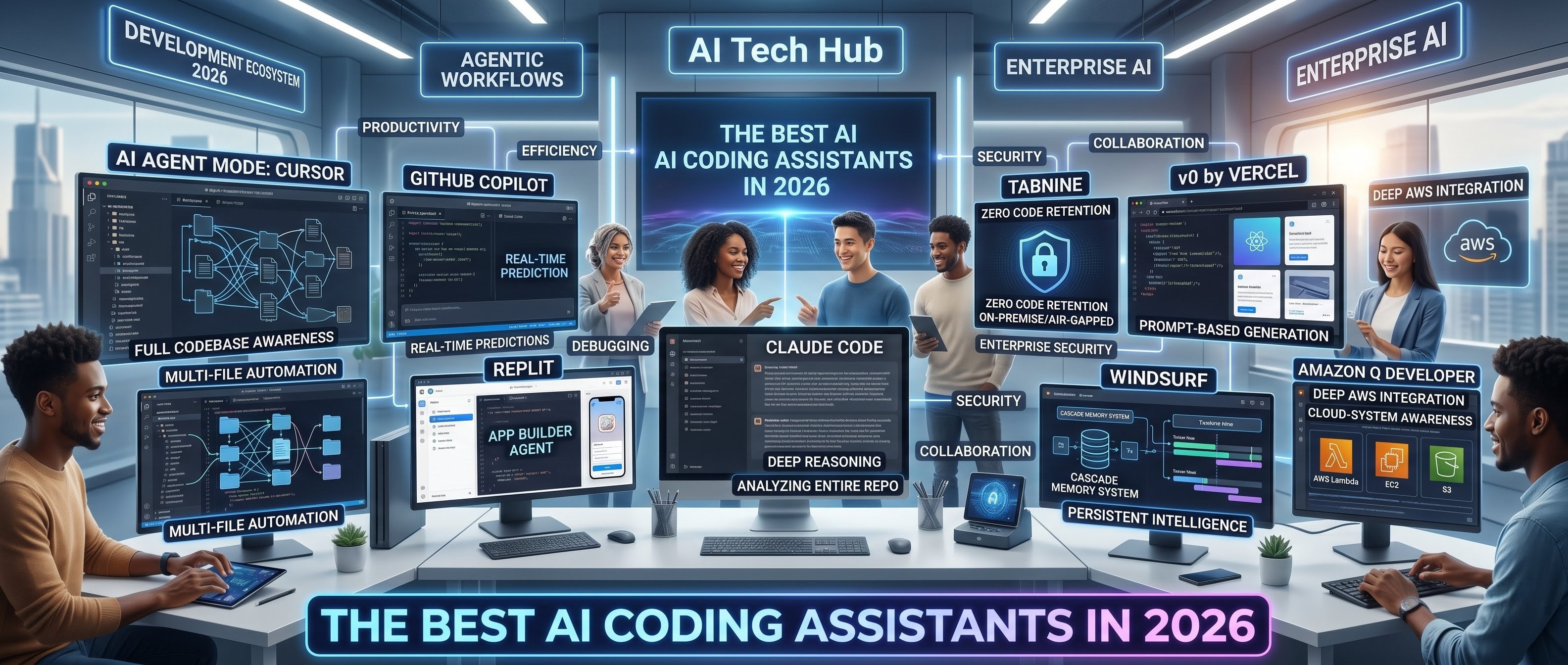
In this comprehensive guide, we explore the best AI coding assistants in 2026, diving deep into their features, advantages, limitations, and ideal use cases.
What Are AI Coding Assistants?
AI coding assistants are advanced software tools powered by machine learning models that help developers write, understand, and improve code. Unlike traditional development tools, these assistants can interpret natural language instructions and convert them into functional code. Modern AI tools go far beyond autocomplete. They can:
- Analyze entire codebases
- Suggest architecture improvements
- Debug and fix errors automatically
- Generate full applications from prompts
- Execute tasks using agent-based workflows
This shift from passive assistance to active execution is what makes modern AI coding tools so powerful.
Best AI Coding Tools Comparison Table
| Tool | Best For | Key Feature | Ease of Use | Limitations |
|---|---|---|---|---|
| Cursor | Advanced development | Multi-file automation & Agent Mode | Medium | Learning curve, no hosting |
| GitHub Copilot | Daily coding | Real-time code suggestions | Easy | Limited deep context |
| Replit | Beginners & startups | Full app builder (AI agent) | Very Easy | Limited control for large apps |
| Claude Code | Large codebases | Deep reasoning & full repo analysis | Medium | Limited free usage |
| Tabnine | Enterprise security | Privacy-first (zero code retention) | Easy | Expensive, less automation |
| v0 by Vercel | UI/Frontend | Fast React UI generation | Easy | No backend support |
| Windsurf | Long-term projects | Persistent memory (Cascade) | Medium | Smaller ecosystem |
| Amazon Q Developer | Cloud (AWS) | AWS-aware AI suggestions | Medium | AWS-only focus |
Cursor: Complete Detailed Guide
Cursor is a modern AI-powered Integrated Development Environment (IDE) designed to redefine the development process. Unlike traditional editors, it is built from the ground up to integrate AI into every stage of coding, offering deep codebase understanding and automation.
What Makes It Unique?
-
Active Participation: Cursor acts like a junior developer, actively participating in the development process rather than just offering simple assistance.
-
Project-Level Understanding: It possesses a comprehensive understanding of the entire project, allowing it to track dependencies and understand architecture.
-
Multi-File Automation: The IDE can automatically execute changes across multiple files simultaneously, which is ideal for large-scale applications.
Core Features
-
Agent Mode (Autonomous Development): This allows the AI to analyze the codebase, plan implementations, and write code across multiple files based on high-level instructions.
-
Full Codebase Awareness: By analyzing relationships between files, Cursor ensures all changes are context-aware and accurate.
-
AI Chat with Context: A built-in interface that provides highly relevant responses by staying connected to the specific context of your project.
-
Inline Code Editing: Offers real-time suggestions to rewrite functions, optimize code, and improve overall implementation quality.
-
Multi-File Refactoring: Capable of refactoring entire modules or updating project-wide logic in a single operation.
-
Versatile Operation Modes:
-
Agent Mode: For full automation and task execution.
-
Ask Mode: For answering questions and explaining code.
-
Manual Mode: For receiving suggestions without automatic changes.
-
-
Familiar Extensibility: Built on a foundation similar to VS Code, it supports existing extensions, Git integration, and custom workflows.
-
Advanced Analysis: Acts as both a code reviewer and developer by detecting bugs, suggesting security fixes, and analyzing performance.
GitHub Copilot: Complete Detailed Guide
GitHub Copilot is a premier AI-powered coding assistant developed by GitHub in collaboration with OpenAI. It functions as a real-time AI pair programmer, allowing developers to increase productivity and reduce repetitive tasks within their existing workflows.
What Makes It Unique?
-
Predictive Assistance: It works silently in the background, predicting your next steps and suggesting lines or entire functions.
-
Workflow Preservation: Unlike standalone AI IDEs, it integrates directly into your current editor so you don't have to change your environment.
-
Contextual Adaptation: The tool adapts to your specific coding style and learns from the context of the files you are working on.
Core Features
-
Real-Time Completion: Instantly generates single lines, multi-line functions, loops, and logic as you type.
-
Built-In AI Chat: Includes a chat interface for debugging, requesting logic explanations, and generating specific snippets.
-
Broad Language Support: Highly flexible across various languages, including JavaScript, TypeScript, Python, Java, C++, Go, and PHP.
-
Multi-File Awareness: Modern updates allow it to suggest changes across multiple files and assist with project-level feature implementation.
-
Seamless IDE Integration: Compatible with popular environments such as VS Code, Visual Studio, JetBrains IDEs, and Neovim.
-
Debugging & Analysis: Capable of identifying bugs, suggesting fixes, and explaining complex logic in simple terms.
-
GitHub Ecosystem: Connects directly to repositories, pull requests, and code reviews for streamlined team collaboration.
Primary Use Cases
-
Daily Development: Ideal for writing functions, generating boilerplate code, and automating repetitive tasks.
-
Learning & Education: Helps beginners understand coding patterns and provides instant explanations for faster learning.
-
Rapid Prototyping: Accelerates development cycles by generating code structures and reducing manual effort.
-
Standardization: Assists teams in maintaining consistent coding standards and improving overall output.
Replit: Complete Detailed Guide
Replit is a cloud-based, browser-first development platform that allows users to write, run, and deploy code without any local installation.
What Makes It Unique?
-
Zero Setup: It works entirely in the browser, eliminating the need to install compilers or manage environments manually.
-
AI Agent: A powerful system that can build complete applications, from planning to deployment, using only natural language instructions.
Core Features
-
AI App Builder: The AI Agent handles clarifying questions, structure planning, and generating both frontend and backend code.
-
Browser-Based IDE: Accessible on any device (PC, laptop, or tablet) with instant project setup.
-
Multi-Language Support: Supports over 50 programming languages, including Python, JavaScript, C++, Java, and PHP.
-
Real-Time Collaboration: Multiple users can work on the same project simultaneously with live editing, similar to Google Docs.
-
Built-In Hosting: Includes integrated hosting and deployment, removing the need for separate services.
-
Database Integration: Supports built-in and external databases to manage application state and user data.
-
Auto-Dependency Management: Automatically handles packages like npm for Node.js and pip for Python.
-
Instant Execution: One-click code execution provides immediate feedback and fast debugging.
Claude Code: Complete Detailed Guide
Claude Code is an advanced AI coding assistant by Anthropic, engineered for large-scale codebases and complex reasoning. It functions as both a technical analyst and a developer, prioritizing accuracy and structured thinking over simple autocomplete.
What Makes It Unique?
-
Massive Context: Features a window of up to 1M tokens, allowing it to process entire repositories at once.
-
Deep Reasoning: Uses logical planning and "Chain-of-Thought" processing to provide explainable, safe outputs.
-
Enterprise Focus: Optimized for debugging, refactoring, and maintaining large, complex systems.
Core Features
-
Whole Codebase Understanding: Analyzes project architecture and dependencies across multiple files without manual selection.
-
Step-by-Step Reasoning: Breaks down problems into logical steps, explaining the "why" before executing the "how".
-
Advanced Debugging: Identifies hidden bugs and suggests optimized refactoring to improve performance and readability.
-
Multi-Platform Flexibility: Available via Web, Desktop, CLI, and popular IDE integrations like VS Code and JetBrains.
-
Quality Assurance: Automatically generates test cases and validates logic to ensure code reliability.
-
Project Memory (CLAUDE.md): Utilizes a dedicated memory file to store project structures, commands, and specific guidelines across sessions.
-
Safety & Reliability: Specifically designed to reduce hallucinations and accurately handle sensitive logic for professional use.
GitHub Copilot: Complete Detailed Guide
GitHub Copilot is a world-leading AI pair programmer developed by GitHub and OpenAI. It integrates directly into existing coding environments to help developers write code faster and with minimal errors.
What Makes It Unique?
-
Real-Time Assistance: It works inside your current workflow, predicting and suggesting lines or entire functions as you type.
-
Context-Aware Learning: The tool learns from your coding context to provide highly relevant inline suggestions.
-
Seamless Integration: It is designed for developers who value speed and simplicity without changing their daily tools.
Core Features
-
Real-Time Autocomplete: Automatically generates code, completes functions, and handles repetitive tasks instantly.
-
AI Chat Assistant: Features a built-in chat for asking questions, requesting explanations, and debugging issues.
-
Wide Language Support: Compatible with various languages including JavaScript, Python, Java, C++, TypeScript, Go, and PHP.
-
Agentic Capabilities: Can now modify multiple files and suggest project-level changes for better productivity.
-
Universal IDE Support: Operates directly within VS Code, Visual Studio, JetBrains, and Neovim.
-
Deep Ecosystem Integration: Connects seamlessly with GitHub repositories, pull requests, and code reviews.
-
Troubleshooting: Helps identify bugs and explains complex code segments to assist in learning and fixing issues.
Tabnine: Complete Detailed Guide
Tabnine is a robust AI-driven coding assistant specifically designed for enterprise teams and organizations that prioritize security, privacy, and compliance. It is the leading choice for industries such as finance and healthcare that require strict control over their data.
What Makes It Unique?
-
Zero Code Retention: Tabnine ensures your code is never stored or used to train public models.
-
Privacy-First Architecture: It is built to keep your data fully private, ensuring code is never shared externally.
-
Flexible Deployment: Unlike most competitors, Tabnine offers on-premise and air-gapped deployment options for maximum security.
Core Features
-
AI Code Completion: Provides real-time suggestions and function completions while maintaining a focus on secure automation.
-
Enterprise Hosting: Offers multiple models including SaaS, Virtual Private Cloud (VPC), and On-premise installations.
-
Custom Team Models: Allows organizations to train AI models on their internal codebase to match specific company standards and styles.
-
Universal IDE Support: Integrates seamlessly with VS Code, IntelliJ IDEA, WebStorm, and PyCharm.
-
High Compliance Standards: Fully supports GDPR, SOC 2, and ISO 27001 requirements.
-
Code Quality Assistance: Suggests optimized patterns and reduces repetitive code to maintain consistency across the team.
Primary Use Cases
-
Enterprise Development: Provides secure environments and standardized practices for large-scale professional teams.
-
Regulated Industries: Ideal for government, finance, and healthcare systems where data protection is a legal necessity.
-
Proprietary Projects: Perfect for professional developers working on sensitive code that must remain private.
-
Team Collaboration: Enhances productivity by sharing coding standards and improving collective output.
v0 by Vercel: Complete Detailed Guide
v0 by Vercel is a specialized AI-powered UI generation tool designed to transform natural language prompts into beautiful, production-ready user interfaces. Created by Vercel, it focuses exclusively on the frontend layer, making it a go-to solution for developers and designers who need high-quality layouts instantly.
What Makes It Unique?
-
Frontend Specialization: Unlike general-purpose AI tools, v0 focuses entirely on UI generation, acting as both a designer and a frontend developer.
-
Instant Prototyping: It generates high-quality components and clean React code in seconds, allowing for rapid visual experimentation.
-
Transparency: It provides a clear breakdown of the layout and design decisions before generating the final code.
Core Features
-
Prompt-Based Generation: Create complex interfaces, such as modern dashboards or analytics cards, simply by describing them in plain English.
-
Structured Planning: Explains the component hierarchy and layout structure before implementation to ensure the design meets your expectations.
-
Production-Ready Code: Outputs clean React components styled with Tailwind CSS, ensuring the code is reusable and developer-friendly.
-
Fast Iteration: Allows you to refine layouts and modify styles continuously by simply updating your prompts.
-
Modern Design Standards: Automatically follows best practices for responsive design, accessibility, and consistent spacing.
-
Workflow Integration: Easily fits into modern pipelines by exporting code to projects or working alongside tools like Cursor and GitHub.
-
Deep Customization: Provides full control over the generated output, enabling developers to add logic, modify styles, and integrate APIs effortlessly.
Primary Use Cases
-
UI/UX Prototyping: Quickly test visual concepts and create interactive mockups without manual design effort.
-
Startup MVP Development: Launch products faster by building polished interfaces and reducing initial design costs.
-
Frontend Efficiency: Accelerate development by generating reusable components and maintaining design consistency across projects.
-
Concept Validation: Rapidly iterate on ideas to validate user experience and interface flow before full-scale production.
Windsurf: Complete Detailed Guide
Windsurf is a next-generation AI-powered coding assistant and research tool designed for developers who require deep context awareness, long-term memory, and advanced workflow automation. It focuses on persistent intelligence, positioning itself as a powerful collaborator for serious development and research-heavy projects.
What Makes It Unique?
-
Cascade Memory System: Windsurf’s core strength is its ability to remember project structures, past conversations, and ongoing development across sessions.
-
Persistent Collaboration: Unlike tools that "forget" context once a session ends, Windsurf acts as a long-term collaborator that retains project knowledge over days or weeks.
-
Research-Oriented Intelligence: It is specifically built to handle complex, long-term coding workflows and deep technical analysis.
Core Features
-
Cascade Persistent Context: Eliminates the need to re-explain code by storing and recalling project information continuously.
-
Full Workspace Awareness: Analyzes the entire workspace to track dependencies and suggest accurate, project-wide changes.
-
Supercomplete Autocomplete: An advanced system that predicts developer intent and suggests entire code blocks using project-wide context.
-
Agent-Based Automation: Features agentic capabilities to execute coding tasks, modify multiple files, and automate complex workflows.
-
Deep Context AI Chat: A built-in chat interface that generates features and debugs issues while remembering all previous interactions.
-
Terminal Command Execution: Automatically runs terminal commands and scripts to reduce manual effort and speed up development.
-
Familiar IDE Foundation: Built on an environment similar to VS Code, supporting standard extensions, Git integration, and custom workflows.
-
Optimization & Analysis: Identifies inefficiencies and suggests optimizations to improve code readability and performance.
Primary Use Cases
-
Advanced Development: Best suited for large-scale applications with complex architectures and multi-file systems.
-
Research-Based Projects: Ideal for exploring unfamiliar codebases and performing deep technical analysis of existing systems.
-
Long-Term Project Management: Perfect for ongoing development where maintaining context across multiple sessions is critical.
-
Workflow Automation: Designed to reduce manual effort by automating repetitive coding and system-level tasks.
Amazon Q Developer: Complete Detailed Guide (2026)
Amazon Q Developer is an advanced AI-powered coding assistant developed by Amazon Web Services (AWS). It is specifically engineered to help developers build, manage, and optimize applications within the AWS cloud ecosystem, focusing on cloud-native development.
What Makes It Unique?
-
Deep AWS Integration: It understands your specific AWS environment, including services like Lambda, EC2, S3, and DynamoDB.
-
Personalized Intelligence: Provides suggestions based on your own AWS account configuration and official documentation.
-
Cloud-System Awareness: Beyond just generating code, it understands the underlying mechanics of how your cloud architecture functions.
Core Features
-
AWS-Aware Suggestions: Generates code optimized for real-world cloud usage based on AWS best practices.
-
CLI & Terminal Integration: Capable of generating AWS CLI commands, executing tasks, and automating deployments directly from the terminal.
-
Multi-File Management: Efficiently handles complex applications by modifying multiple files and refactoring existing code.
-
Cloud Troubleshooting: Analyzes logic and identifies issues specifically within cloud-based application structures.
-
Code Transformation: Automates the conversion of legacy code, framework upgrades, and unit test generation.
-
Workflow Flexibility: Integrates seamlessly with VS Code, JetBrains IDEs, the AWS Management Console, and CLI environments.
-
Account-Based Recommendations: Suggests personalized optimizations and configurations to improve overall system performance.
Primary Use Cases
-
Cloud Development: Ideal for building serverless applications, managing APIs, and deploying cloud services.
-
DevOps Automation: Streamlines infrastructure management by generating scripts and automating deployment pipelines.
-
Legacy Migration: Assists in upgrading older applications and migrating them to modern cloud architectures.
-
AWS Training: Helps developers learn best practices and understand complex AWS services through instant explanations.
Administrator
User Reviews & Comments
Share your experience with this Blog. Your feedback helps our community make informed decisions!
Share Your Experience
Help others by sharing your thoughts about this Blog.
Related Blogs
Explore more Blogs in the same language
No Related Blogs
Check out other languages for more blogs.
No Reviews Yet
Be the first to share your experience with this Blog!