Automate Video Editing with Python: Add Dynamic Top & Bottom Text to Shorts

Jan 31, 2026
Python
Advertisement
Article Top Ad (728x90)
Automate Video Editing with Python: Add Dynamic Top & Bottom Text to Shorts

Overview

In the previous article, we learned how to split a long video into multiple short clips automatically using Python. This approach is very useful when you want to convert long-form content into Shorts, Reels, or Highlights. In this article, we are taking the same concept one step further.

We will learn how to add dynamic text on both the top and bottom of a video, similar to what you often see on Instagram Reels or YouTube Shorts, where a title appears at the top and a call-to-action message appears at the bottom.

Using Python, we will:
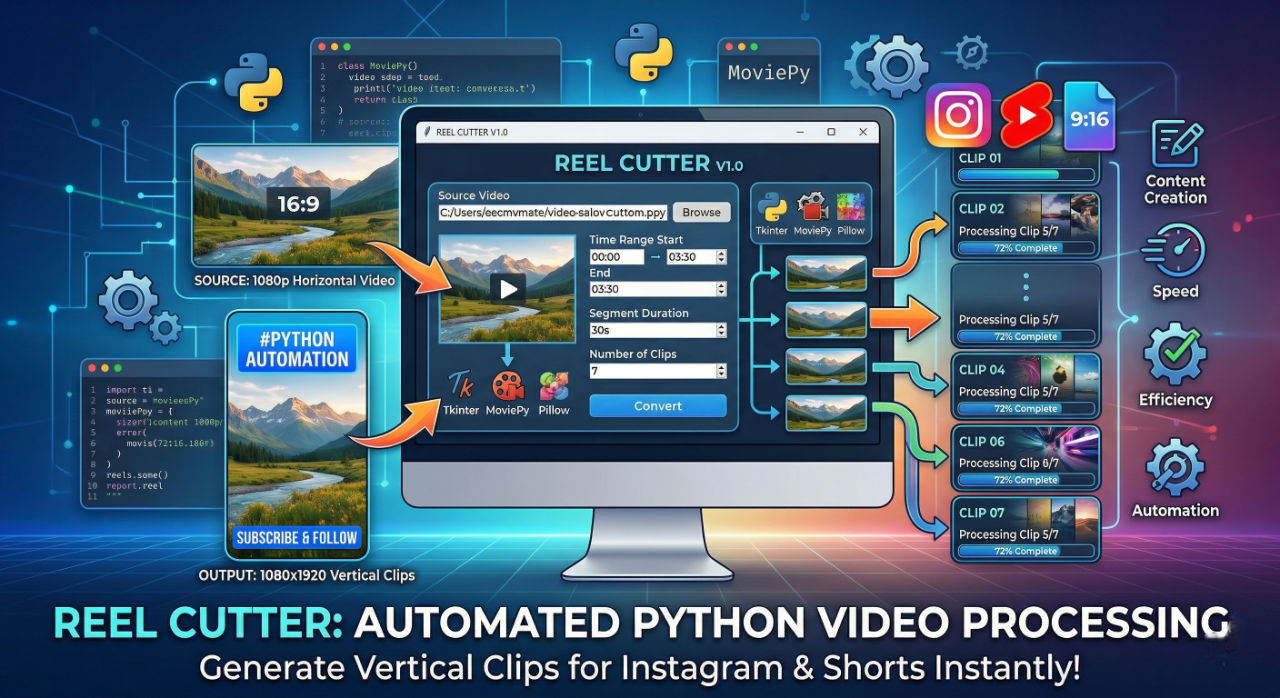
  • Split a long video into multiple short parts
  • Convert each part into a vertical (9:16) format
  • Add dynamic top text with an auto-incrementing part number

  • Add custom bottom text for engagement or promotion

This entire process is fully automated and perfect for content creators who want to save time.

Why Add Text on Top and Bottom of Videos?

If you regularly watch Instagram Reels or YouTube Shorts, you may have noticed that:
  • The top text usually shows the title or part number

  • The bottom text is often used for a message like “Watch full video”, “Follow for more”, or “Don’t miss this”

This style improves:
  • Viewer retention
  • Content clarity
  • Engagement and clicks
By automating this with Python, you don’t need to manually edit each short video.

What This Python Script Does

This Python script processes a single long video and converts it into multiple short vertical videos.

Key features of the script:
  • Cuts the video into fixed-duration parts (for example, 10 seconds each)
  • Resizes the video to fit a 1080×1920 (9:16) vertical format

  • Places the video in the center with a clean black background
  • Adds top text with a dynamic number (Part 1, Part 2, Part 3, etc.)

  • Adds bottom text for a custom message

  • Exports each part as a separate video file
Each new short video automatically gets the next number, so the sequence remains clear and organized.

Technologies Used

This project is built using the following Python libraries:
  • Python – Core programming language

  • MoviePy – Video processing and editing

  • Pillow (PIL) – Text rendering and image handling

  • NumPy – Image array processing

All libraries are open-source and widely used for automation tasks.

Where to Add the YouTube Video (Important)

Below this section, you should embed your YouTube video so readers can visually understand how the script works and see the final output.

Paste your YouTube embed code here

Adding the video here helps users:

  • Understand the result clearly
  • Follow the explanation step-by-step
  • Learn faster with a real demo

Complete Python Code

Below is the complete Python script used in this project.
You can copy it, modify it, and use it for your own automation workflow.

import os
import numpy as np
from moviepy.editor import VideoFileClip, CompositeVideoClip, ColorClip, ImageClip
from PIL import Image, ImageDraw, ImageFont

# ================= PIL FIX =================
ifnot hasattr(Image, "ANTIALIAS"):
    Image.ANTIALIAS = Image.Resampling.LANCZOS
# ==========================================

# ================= STATIC CONFIG =================

INPUT_VIDEO = "anime.mp4"
OUTPUT_FOLDER = "parts"

PART_SECONDS = 10        # seconds

TOP_TEXT = "A Wild Last Boss Appeared Part"# video top text.
BOTTOM_TEXT = "Don’t miss the full video! Check it out in my Highlights."# video bottom text.

START_NUMBER = 1# Dynamic numbers will be added at the end of the text that appears above the video.

FINAL_W, FINAL_H = 1080, 1920
TEXT_VIDEO_GAP = 10

FONT_PATH = "C:/Windows/Fonts/arial.ttf"
FONT_SIZE_TOP = 64
FONT_SIZE_BOTTOM = 58

# ================= TEXT UTILS =================

def wrap_text(draw, text, font, max_width):
    words = text.split()
    lines = []
    line = ""
    for w in words:
        test = line + w + " "
        if draw.textbbox((0, 0), test, font=font)[2] <= max_width:
            line = test
        else:
            lines.append(line)
            line = w + " "
    lines.append(line)
    return lines

def calc_text_height(draw, lines, font, spacing):
    height = 0
    for l in lines:
        bbox = draw.textbbox((0, 0), l, font=font)
        height += (bbox[3] - bbox[1]) + spacing
    return height

def draw_text(draw, lines, font, width, padding, spacing):
    y = padding
    for l in lines:
        bbox = draw.textbbox((0, 0), l, font=font)
        w = bbox[2] - bbox[0]
        h = bbox[3] - bbox[1]
        draw.text(((width - w) // 2, y), l, font=font, fill="white")
        y += h + spacing

# ================= MAIN LOGIC =================

def process_video():
    os.makedirs(OUTPUT_FOLDER, exist_ok=True)

    clip = VideoFileClip(INPUT_VIDEO)  # 🔹 FULL VIDEO ONLY

    font_top = ImageFont.truetype(FONT_PATH, FONT_SIZE_TOP)
    font_bottom = ImageFont.truetype(FONT_PATH, FONT_SIZE_BOTTOM)

    t = 0
    index = START_NUMBER

    while t < clip.duration:
        end_t = min(t + PART_SECONDS, clip.duration)
        part = clip.subclip(t, end_t)

        video = part.resize(width=FINAL_W)
        bg = ColorClip((FINAL_W, FINAL_H), (0, 0, 0), duration=part.duration)
        video = video.set_position("center")

        video_top = (FINAL_H - video.h) // 2
        video_bottom = video_top + video.h

        dummy = Image.new("RGBA", (FINAL_W, 10))
        draw_dummy = ImageDraw.Draw(dummy)

        # ---------- TOP TEXT ----------
        top_lines = wrap_text(
            draw_dummy,
            f"{TOP_TEXT}{index}",
            font_top,
            FINAL_W - 40
        )
        top_h = calc_text_height(draw_dummy, top_lines, font_top, 8) + 20
        img_top = Image.new("RGBA", (FINAL_W, top_h), (0, 0, 0, 0))
        draw_top = ImageDraw.Draw(img_top)
        draw_text(draw_top, top_lines, font_top, FINAL_W, 10, 8)

        top_clip = ImageClip(np.array(img_top)) \
            .set_duration(part.duration) \
            .set_position(("center", video_top - top_h - TEXT_VIDEO_GAP))

        # ---------- BOTTOM TEXT ----------
        bot_lines = wrap_text(
            draw_dummy,
            BOTTOM_TEXT,
            font_bottom,
            FINAL_W - 40
        )
        bot_h = calc_text_height(draw_dummy, bot_lines, font_bottom, 10) + 20
        img_bot = Image.new("RGBA", (FINAL_W, bot_h), (0, 0, 0, 0))
        draw_bot = ImageDraw.Draw(img_bot)
        draw_text(draw_bot, bot_lines, font_bottom, FINAL_W, 10, 10)

        bot_clip = ImageClip(np.array(img_bot)) \
            .set_duration(part.duration) \
            .set_position(("center", video_bottom + TEXT_VIDEO_GAP))

        final = CompositeVideoClip([bg, video, top_clip, bot_clip])

        output_path = os.path.join(OUTPUT_FOLDER, f"{index}.mp4")
        final.write_videofile(
            output_path,
            fps=30,
            codec="libx264",
            audio_codec="aac"
        )

        index += 1
        t += PART_SECONDS

    print("✅ VERSION-2 DONE (FULL VIDEO → MULTIPLE REELS)")

# ================= RUN =================
if __name__ == "__main__":
  process_video()

 Make sure to update:

  • Input video file name
  • Output folder
  • Text content
  • Font path (based on your system)

How Dynamic Numbering Works

One important feature of this script is dynamic numbering.

Each time a new short video is created:

  • A number is added automatically at the end of the top text
  • The number increases with every new video part

This is very useful when converting long videos into multiple parts because viewers can easily follow the sequence.


Final Thoughts

This Python-based approach is a powerful way to automate short-form content creation. If you:

  • Create YouTube Shorts
  • Upload Instagram Reels
  • Work with video highlights
  • Want to save hours of manual editing

Then this script can significantly improve your workflow. Take your time to go through the code and the YouTube video. If anything is unclear or if you want additional features like subtitles, animations, or background blur, feel free to leave a comment.hai.


Updating from the Previous Version (Git Pull – V2)

If you followed the previous article and already cloned the repository from GitHub, you do not need to clone it again.

You can simply update your existing project by pulling the latest version of the code.

The Version 2 (V2) update includes:

  • Dynamic top text with auto-incrementing part numbers
  • Bottom text overlay for call-to-action messages
  • Improved layout for vertical (9:16) videos
  • Cleaner and more structured code

To get the latest version, navigate to your project folder and run:

git pull

This command will fetch the updated V2 code directly into your existing setup.


Cloning the Repository (If You Don’t Have the Code)

If you did not follow the previous article or do not have the repository cloned yet, you can start fresh by cloning the project from GitHub. Use the following command:
git clone https://github.com/bavliyavanraj/Video-Cutting-Script.git
Once the cloning process is complete, you will have access to:
  • The full Python video automation script
  • All dependencies and project structure
  • The latest V2 implementation with text overlay features
After cloning, move into the project directory and install the required libraries if needed.
Sponsored Content
In-Content Ad (300x250)
Python Blog Verified
Written by

Admin

Coding Educator
Verified Author
Advertisement
Ad Banner
(300x250)
Advertisement
Ad Banner (728x90)

User Reviews & Comments

Share your experience with this Blog. Your feedback helps our community make informed decisions!

0 reviews

Share Your Experience

Help others by sharing your thoughts about this Blog.

0/1000 characters

No Reviews Yet

Be the first to share your experience with this Blog!

Related Blogs

Explore more Blogs in the same language

Automating Long Video Splitting into Short Clips Using Python

Automating Long Video Splitting into Short Clips Using Python

Python

Learn how to automatically split long videos into short clips using Python. Create reels-ready videos with free, local video automation for Instagram and Facebook.
Advertisement
Ad Banner (728x90)
Advertisement
Footer Ad (728x90)